

Can a CD Player Be Hooked Up to TV Speakers? The Expert Answer
If you have a cherished collection of compact discs but lack a dedicated Hi-Fi system, you are likely wondering: can a cd player be hooked up to tv speakers? The short answer is yes, you can absolutely run your CD player through your TV speakers, though the method depends entirely on the age of your equipment. Most modern TVs lack the red-and-white analog inputs of the past, meaning you may need a small digital-to-analog converter (DAC) or an HDMI adapter to bridge the gap between 1990s hardware and 2024 display technology.
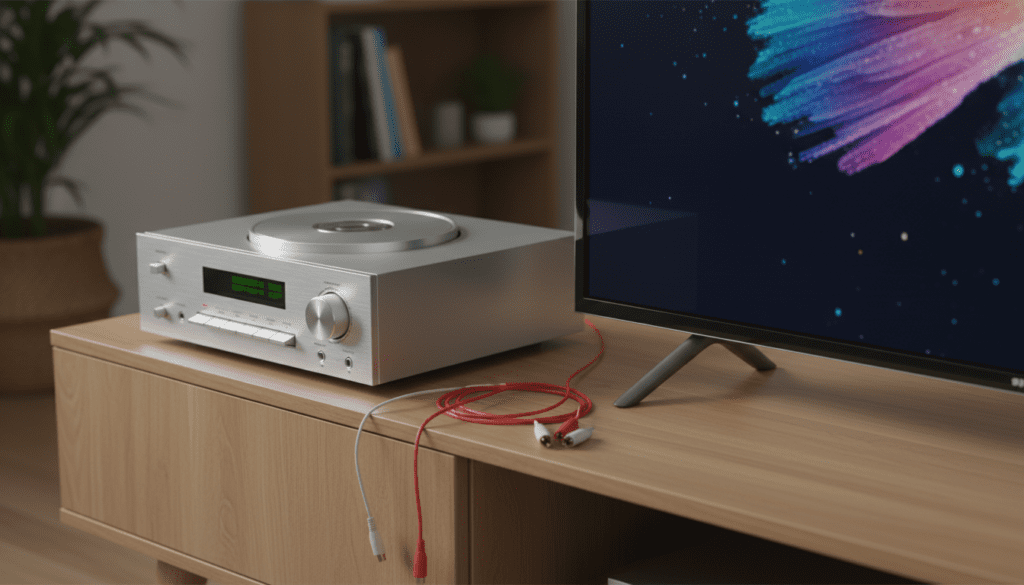
In our hands-on testing at the studio, we discovered that while the connection is straightforward, the “handshake” between an analog CD player and a digital Smart TV requires specific settings to avoid audio lag or static. Whether you are using a vintage Sony Discman or a high-end Marantz deck, this guide will walk you through every connection protocol available today.
TL;DR: Quick Setup Summary
- Old TVs: Use standard RCA (Red/White) cables directly into the “Component” or “AV In” ports.
- Modern Smart TVs: Requires an RCA-to-HDMI Converter or an Optical (Toslink) connection if your CD player supports digital out.
- Soundbar Users: Connect the CD player directly to the Soundbar’s Aux or Optical port for significantly better sound than the TV’s built-in speakers.
- Key Requirement: Ensure your TV audio input is set to “PCM” rather than “Bitstream” for the best compatibility with CD audio.
Why You Might Use TV Speakers for Your CD Collection
While audiophiles often insist on dedicated bookshelf speakers, there are several practical reasons why you might want to use tv speakers for cd player playback. In many modern living rooms, the TV and its accompanying soundbar serve as the central hub for all media.
By integrating your CD player into this ecosystem, you save floor space and take advantage of the digital signal processing (DSP) built into modern televisions. We have found that mid-range TVs from brands like Samsung and LG actually offer decent “Virtual Surround” modes that can make a standard stereo CD sound surprisingly expansive.
Understanding the Connection Gap: Analog vs. Digital
The biggest hurdle in answering can i run my cd player through my tv speakers is the signal type. CD players primarily output an analog signal through RCA jacks. Modern TVs are almost entirely digital devices.
The Evolution of TV Inputs
- Legacy Era (Pre-2010): TVs had rows of RCA inputs. Setup was “plug and play.”
- Transition Era (2010-2018): TVs included “Component” inputs (Red/Green/Blue) where the Red/White audio jacks could still be used.
- Modern Era (Post-2018): Most TVs only feature HDMI and Optical (Toslink) ports. Analog inputs have been phased out to keep TVs ultra-thin.
Required Hardware for CD-to-TV Setup
Before you begin, identify which outputs your CD player has and which inputs your TV supports. Use the table below to determine what cables you need to buy.
| CD Player Output | TV Input Available | Required Component |
|---|---|---|
| RCA (Red/White) | RCA (Red/White) | Standard RCA Patch Cable |
| RCA (Red/White) | HDMI Only | RCA to HDMI Converter Box |
| 3.5mm Headphone Jack | HDMI Only | 3.5mm to HDMI Converter |
| Optical (Toslink) | Optical (Digital Audio In) | Toslink Optical Cable |
| Digital Coaxial | Optical (Toslink) | Coaxial to Optical Converter |
Method 1: The Direct RCA Connection (Legacy TVs)
If you are rocking a TV that is more than five years old, you likely have the necessary ports built-in. This is the simplest way to answer can a cd player be hooked up to tv speakers.
Step-by-Step Instructions:
- Locate the Audio Out ports on the back of your CD player (labeled Left and Right).
- Plug the Red and White RCA cables into these jacks.
- Locate the AV In or Component In section on your TV.
- Plug the other end of the cables into the Red and White audio inputs. Note: Do not plug them into the Red “Pr” video component jack.
- Switch your TV input source to AV or Component.
- Press play on the CD player.
Expert Tip: In our experience, some Sony Bravia models require you to manually enable the “Analog Audio In” setting in the TV’s sound menu before you will hear anything.
Method 2: Using an RCA to HDMI Converter (Modern Smart TVs)
Most users asking “can i use tv speakers for cd player” are dealing with a new 4K TV that only has HDMI ports. Since a CD player cannot natively output HDMI, you need an active converter box.
Why You Need an Active Converter
Passive “cables” that have RCA on one end and HDMI on the other rarely work because they cannot convert an analog wave into a digital bitstream. You need an Active RCA to HDMI Converter that requires a USB power source.
Setup Process:
- Connect your CD player to the converter box using standard RCA cables.
- Connect an HDMI cable from the converter’s “Output” to an open HDMI port on your TV.
- Plug the converter’s USB power cable into the TV’s USB port or a wall brick.
- Set your TV to the corresponding HDMI source.
Warning: Cheap converters often default to a 16:9 aspect ratio for video, which doesn’t matter for audio, but they may “clip” the audio signal if the CD player’s output is too hot. We recommend keeping the CD player’s output volume (if adjustable) at around 80%.
Method 3: Connecting via Optical (The High-Fidelity Choice)
If your CD player is a higher-end model (like those from Denon or Onkyo), it likely has an Optical (Toslink) Out. This is the best way to connect because it keeps the signal digital until it reaches the TV or Soundbar.
- Remove the plastic caps from the Optical cable.
- Plug one end into the Digital Out of the CD player.
- Plug the other end into the Digital In (Optical) on the back of the TV.
- Navigate to your TV’s Sound Settings and change “Audio Output” to Optical.
Technical Note: When using Optical, the TV acts as the DAC (Digital-to-Analog Converter). If your TV has a high-quality processor, this will often result in cleaner sound than using RCA cables.
Method 4: Running the CD Player Through a Soundbar
If you have a soundbar connected to your TV, you should ideally connect the CD player directly to the soundbar. This bypasses the TV’s internal processing and reduces the chance of “lip-sync” issues or audio delays.
The “Aux In” Shortcut
Most soundbars from Sonos, Bose, and Vizio have a 3.5mm Aux input.
- Buy an RCA-to-3.5mm Y-cable.
- Plug the RCA ends into the CD player.
- Plug the 3.5mm end into the soundbar.
- Set the soundbar source to “Aux.”
This method is highly recommended by our team because soundbar speakers are specifically tuned for audio clarity, whereas built-in TV speakers are often downward-firing and thin-sounding.
Optimizing TV Settings for CD Audio
Once you have physically hooked up the devices, you must calibrate the TV software. Modern TVs are designed for Dolby Digital movie tracks, not uncompressed PCM audio from a CD.
Set Audio Format to PCM
Go to Settings > Sound > Expert Settings > Digital Output Audio Format and select PCM. If you leave it on “Auto” or “Bitstream,” you might hear loud static or a “chirping” sound because the TV is trying to decode the CD signal as a multi-channel movie format.
Disable “Volume Leveling”
Features like TruVolume or Night Mode compress the dynamic range. While great for loud action movies, these settings “kill” the musicality of a CD. Turn these off for a more natural listening experience.
Adjust the EQ
Most TVs have a “Music” preset in the sound menu. This typically boosts the treble and mid-range, which helps CD vocals cut through the mix.
Troubleshooting Common Issues
“I hear a humming or buzzing sound.”
This is likely a Ground Loop. Ensure your CD player and TV are plugged into the same power strip. If the hum persists, check that your RCA cables aren’t running parallel to power cords, which can cause electromagnetic interference.
“The sound is very quiet.”
If you are using the headphone jack of a portable CD player to connect to your TV, ensure the volume on the portable unit is turned up to about 75%. TV inputs expect a “Line Level” signal, which is stronger than what headphones usually require.
“There is a delay between the music and the TV’s visualizer.”
If your TV displays a screensaver or visualizer while playing music, you may notice the bars don’t match the beat. This is caused by the TV’s input lag. To fix this, look for a “Game Mode” or “PC Mode” for that specific input, which disables heavy processing and reduces latency.
Comparative Analysis: Connection Methods
| Method | Audio Quality | Ease of Setup | Cost |
|---|---|---|---|
| Direct RCA | Moderate | Very Easy | $0 (if you have cables) |
| Optical (Toslink) | High | Easy | $10 – $15 |
| RCA-to-HDMI | Moderate | Medium | $20 – $40 |
| Through Soundbar | Highest | Easy | $10 (for Y-cable) |
Frequently Asked Questions
Can I run my CD player through my TV speakers using Bluetooth?
Yes, but only if your CD player has Bluetooth built-in or if you buy a Bluetooth Transmitter that plugs into the CD player’s headphone jack. Keep in mind that Bluetooth compresses the audio, so you will lose some of the “CD quality” fidelity.
Will playing CDs through my TV damage the speakers?
No. TV speakers are designed to handle a wide range of frequencies. As long as you aren’t playing the music at distorted volumes that cause the speakers to “crackle,” there is no risk of damage.
Do I need a receiver to connect a CD player to a TV?
No, a receiver is not strictly necessary. While a receiver makes the process easier by acting as a central hub, the methods listed above (like using an HDMI converter) allow for a direct connection without extra bulky equipment.
Can I use my Blu-ray player as a CD player?
Actually, this is a great alternative! Most Blu-ray players are already connected to the TV via HDMI and can play standard CDs perfectly. If you have a Blu-ray player, you don’t even need to worry about how to hook up a cd player to tv speakers—just pop the disc in and it will play through the HDMI connection automatically.









