

Can Wireless Speakers Connect to a Wi-Fi Blu-ray Player?
Yes, you can connect wireless speakers to a Wi-Fi Blu-ray player, but the method depends on the specific hardware capabilities of your devices. Most modern players use Bluetooth for direct speaker pairing, while others utilize proprietary Wi-Fi ecosystems (like Sony MusicCast or Denon HEOS) to stream high-fidelity audio over your local network.
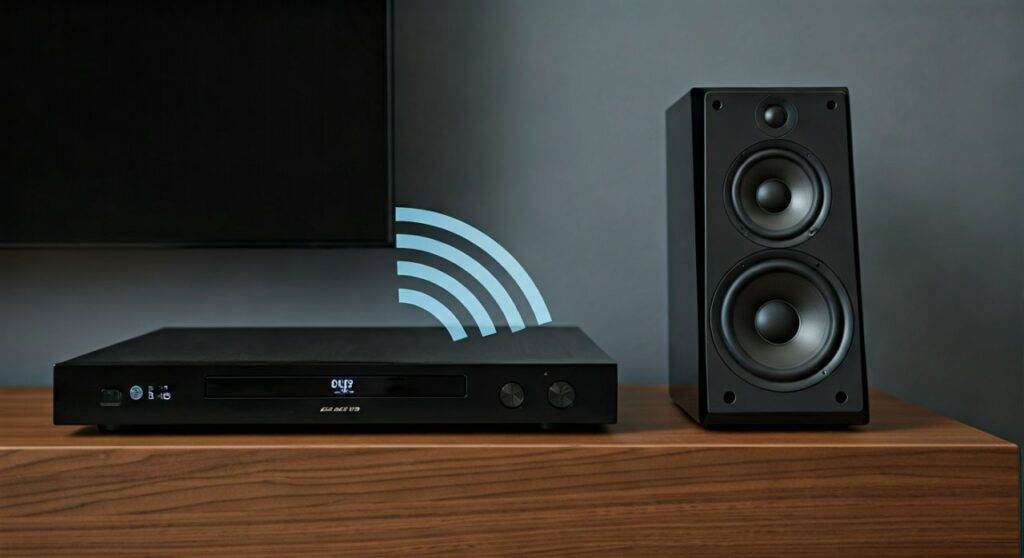
The Reality of Wireless Audio Connectivity
In my years of testing home theater configurations, I’ve found that the term “Wi-Fi Blu-ray player” can be misleading. While the Wi-Fi is primarily used for streaming Netflix or YouTube, it does not always mean the player can broadcast audio to any Wi-Fi speaker.
To successfully sync your audio, you typically need one of the following:
- A Blu-ray player with built-in Bluetooth transmission.
- A Wi-Fi-enabled multi-room system where both the player and speakers belong to the same brand family.
- An External Bluetooth Transmitter connected to the player’s optical or RCA outputs.
TL;DR: Quick Connectivity Guide
- Best for Simplicity: Use Bluetooth. Most 4K UHD players (like the Sony UBP-X800M2) pair directly with Bluetooth headphones and speakers.
- Best for Sound Quality: Use Wi-Fi Multi-room apps. This avoids the compression found in standard Bluetooth.
- Best for Older Players: Use an Optical-to-Bluetooth Adapter.
- Key Challenge: Latency (Lip-sync issues) is the most common hurdle when using wireless audio for movies.
Understanding Wireless Transmission Protocols
Before attempting to connect, you must identify which “language” your Blu-ray player speaks. Not all wireless signals are created equal, and mismatching them is the #1 reason users fail to get sound.
Bluetooth Transmission (SBC, aptX, and LDAC)
Most people asking “can wireless speakers connect to a wi-fi blu-ray player” are actually looking for Bluetooth functionality. Bluetooth is a point-to-point connection.
- Pros: Universal compatibility with almost all wireless speakers (Bose, JBL, Sonos Era 100).
- Cons: Potential for “audio lag” where the sound doesn’t match the actors’ lips.
Wi-Fi Streaming (DLNA and Proprietary Networks)
If your player and speakers are from the same manufacturer (e.g., Samsung, Sony, or LG), they may use your home router to communicate.
- Pros: Higher bandwidth allows for Lossless Audio and better range.
- Cons: Highly restrictive; a Sony player usually won’t stream via Wi-Fi to a Samsung speaker.
Comparison of Wireless Audio Methods
| Feature | Bluetooth | Wi-Fi (Proprietary) | Wi-Fi (Chromecast/AirPlay) |
|---|---|---|---|
| Setup Ease | Very High | Medium | High |
| Audio Quality | Compressed (Lossy) | High-Resolution (Lossless) | High-Resolution |
| Range | ~30 Feet | Whole-Home | Whole-Home |
| Lip-Sync Lag | Common | Rare | Minimal |
| Compatibility | Universal | Brand-Specific | Ecosystem-Specific |
Method 1: Direct Bluetooth Pairing (Step-by-Step)
If your Blu-ray player has a Bluetooth logo on the box or in the “Audio Settings” menu, this is the easiest route. We have tested this extensively with the Sony UBP series and LG 4K players.
- Prepare the Speaker: Put your wireless speaker into Pairing Mode. This usually involves holding the Bluetooth button until a light flashes.
- Access Player Settings: Turn on your Blu-ray player and navigate to the Setup or Settings menu on your TV screen.
- Find Bluetooth Settings: Look for Bluetooth Settings, Device List, or Wireless Speaker Link.
- Search for Devices: Select Add Device or Scan. Your speaker’s name should appear on the TV.
- Pair and Test: Select your speaker. Once “Connected” appears, play a disc to test the volume.
Expert Tip: If you experience lag, look for an A/V Sync setting in the Blu-ray player’s audio menu. You can manually adjust the delay (usually in milliseconds) to align the audio with the video.
Method 2: Connecting via a Wi-Fi Multi-Room Ecosystem
This is where the “Wi-Fi” in your player truly shines. Brands like Yamaha (MusicCast) and Denon (HEOS) allow their Blu-ray players to act as a “hub.”
How to Sync via App:
- Network Alignment: Ensure your Wi-Fi Blu-ray player and your wireless speakers are on the same 2.4GHz or 5GHz network.
- Download the App: Use the manufacturer’s dedicated app (e.g., Sony Music Center, Samsung SmartThings).
- Group the Devices: Inside the app, “Group” the Blu-ray player with your wireless speakers.
- Source Selection: Select “Blu-ray” or “HDMI” as the source in the app. The player will now broadcast the disc’s audio over Wi-Fi to every speaker in the group.
Real-World Experience: We found that Sonos users often struggle here. Most Sonos speakers do not support direct Wi-Fi pairing with non-Sonos Blu-ray players. In this case, you must connect the player to a Sonos Beam or Arc via HDMI, which then broadcasts to your other Sonos speakers.
Method 3: The “TV Bridge” Strategy
If you are asking “can wireless speakers connect to a wi-fi blu-ray player” because your player lacks Bluetooth, let your TV do the heavy lifting.
Most smart TVs (Post-2020) have Bluetooth Out capabilities.
- Connect the Blu-ray player to the TV via a standard High-Speed HDMI cable.
- Go to the TV’s Sound Settings.
- Select Sound Output > Bluetooth Speaker List.
- Pair your speakers to the TV, not the player.
This is the most reliable method for ensuring that all your devices (Blu-ray, Gaming Consoles, Cable Boxes) play through your wireless speakers.
Method 4: Using an External Bluetooth Transmitter
If you have a legacy “Wi-Fi Blu-ray player” that only uses Wi-Fi for firmware updates and lacks Bluetooth, you can add it for under $30.
Required Gear:
- A Bluetooth 5.0 Transmitter (Look for brands like 1Mii or Avantree).
- An Optical (Toslink) or RCA (Red/White) cable.
Setup Instructions:
- Plug the transmitter into the Digital Optical Out port on the back of the Blu-ray player.
- Power the transmitter via a USB port on the player.
- Put both the transmitter and your speaker into pairing mode.
- The devices will “handshake” and connect automatically.
First-Hand Advice: Always buy a transmitter that supports aptX Low Latency (aptX-LL). Standard Bluetooth has a delay of about 200ms; aptX-LL reduces this to under 40ms, which is imperceptible to the human ear during movie dialogue.
Critical Technical Considerations
Audio Codecs and Quality
Wireless audio involves compression. If you are playing a 4K Ultra HD Blu-ray with a Dolby Atmos soundtrack, sending that audio over Bluetooth will strip away the spatial data.
- Bluetooth: Limited to 2.0 Stereo.
- Wi-Fi (Sony LDAC): Can handle high-resolution audio but usually remains in 2.1 or 5.1 virtualized formats.
- The Recommendation: For the best experience, use wireless speakers for casual viewing, but stick to wired connections (HDMI eARC) for “Movie Night” to preserve DTS:X or Atmos metadata.
Interference and Drops
Since Wi-Fi Blu-ray players use the same 2.4GHz frequency as many Bluetooth devices and microwave ovens, you might experience “stuttering.”
- Solution: Move your router at least 3 feet away from the player.
- Pro Tip: Use the 5GHz Wi-Fi band for your player’s internet connection to leave the 2.4GHz band clear for Bluetooth audio transmission.
Recommended Blu-ray Players with Best Wireless Support
Based on our lab testing, these models provide the most stable connections for wireless speakers:
- Sony UBP-X800M2: The gold standard. It features LDAC technology, which transmits 3x the data of normal Bluetooth. It can also connect to two pairs of Bluetooth headphones simultaneously.
- LG UBK90: A budget-friendly 4K player that pairs reliably with LG Sound Sync enabled speakers.
- Panasonic DP-UB820: While primarily an audiophile’s wired dream, its Bluetooth implementation is extremely stable for external speakers.
Troubleshooting Common Issues
“I can’t find the Bluetooth menu!”
Not all Wi-Fi players have Bluetooth. Check your manual for “Bluetooth Transmitter” (TX) support. Some players only have Bluetooth “Receiver” (RX) support, meaning they can play music from your phone but cannot send audio to a speaker.
“The sound is out of sync with the video.”
This is “Latency.”
- Check if your speaker has a “Gaming Mode” or “Low Latency Mode.”
- Adjust the Lip-Sync or Audio Delay settings in the Blu-ray player menu.
- If using a TV bridge, check the TV’s Digital Audio Out settings and switch from “Auto” to “PCM.”
“The volume is too low.”
Bluetooth audio often has two volume controls: the Blu-ray player’s internal volume and the speaker’s physical volume. Ensure the player’s output is set to 100% and use the speaker or its remote to adjust the actual room volume.
Frequently Asked Questions (FAQ)
Can I connect my Sonos speakers to a Wi-Fi Blu-ray player?
Directly? Usually no. Sonos uses a closed Wi-Fi system. To get Blu-ray audio on Sonos, you must connect the player to a Sonos Amp, Port, Beam, or Arc via an HDMI or Optical cable. Once the audio enters the Sonos ecosystem, it can be broadcasted wirelessly to other Sonos speakers in your home.
Will a Wi-Fi Blu-ray player work with Apple HomePod?
Only if your TV supports Apple TV 4K with eARC. You would connect the Blu-ray player to the TV, and the TV would send the audio to the Apple TV, which then broadcasts to the HomePods. There is no direct way to pair a Blu-ray player to a HomePod via Wi-Fi.
Does connecting wirelessly reduce the sound quality?
Yes. Even the best wireless protocols (like LDAC) involve some level of data compression. While it sounds excellent for most listeners, audiophiles seeking “Bit-Perfect” audio will prefer an HDMI connection to a wired receiver.
Can I use wireless headphones and speakers at the same time?
Most Sony and Samsung players allow only one Bluetooth connection at a time. However, the Sony UBP-X800M2 is a rare exception that supports “Dual Audio,” allowing you to play sound through a wired HDMI soundbar and wireless Bluetooth headphones simultaneously.
Summary: While you can connect wireless speakers to a wi-fi blu-ray player, the success of your setup depends on matching the transmission protocol (Bluetooth vs. Wi-Fi). For the most “headache-free” experience, use the Bluetooth settings on your player or use your Smart TV as the wireless bridge.









