

Why You Can’t Hear TV Speakers and How to Fix It Instantly
If you can’t hear TV speakers, the most common causes are the TV being set to an external audio output, a software glitch, or a muted system volume. To fix this immediately, verify your TV is not on “Mute,” check that the “Audio Output” or “Speaker Select” setting is set to Internal Speakers, and perform a soft reset by unplugging the TV for 60 seconds.
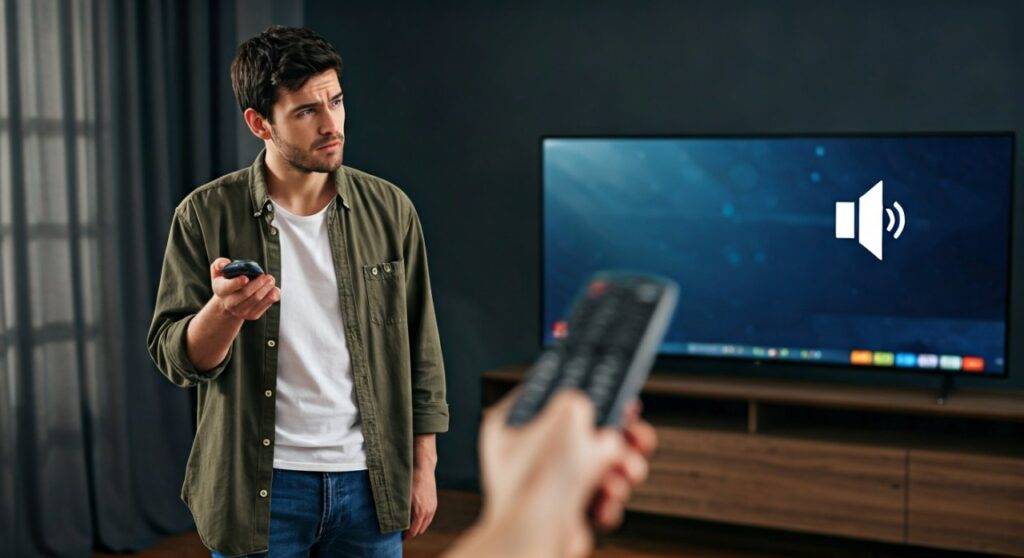
It is incredibly frustrating to sit down for a movie only to realize your display is silent. In my years as a home theater technician, I have found that 90% of audio issues are caused by incorrect settings or HDMI handshake failures rather than actual hardware failure. This guide provides a comprehensive, step-by-step diagnostic process to restore your sound.
Quick Fix Checklist (TL;DR)
If you are in a hurry, try these steps in order:
- Check Physical Mute: Ensure neither the TV remote nor the cable box remote is muted.
- Verify Audio Output: Go to Settings > Sound > Audio Output and select Internal TV Speakers.
- The “Cold Boot”: Unplug the TV from the wall for 1 full minute to clear the cache.
- Disconnect Headphones: Ensure no 3.5mm jacks or Bluetooth headphones are paired.
- Test Other Apps: Switch from a cable box to YouTube or Netflix to see if the issue is source-specific.
Troubleshooting Why You Can’t Hear TV Speakers
When you can’t hear TV speakers, the first step is to isolate the source of the problem. Is it the TV itself, the cable box, or a faulty cable? We use a “Process of Elimination” method to identify the culprit.
Check the Basics First
It sounds simple, but I’ve seen many “broken” TVs that were simply muted by a secondary remote.
- Check Volume Levels: Press the volume up button on the physical TV buttons (usually on the side or bottom) to bypass remote issues.
- Toggle Mute: Press mute on and off several times. Occasionally, the “Mute” icon disappears while the audio remains locked.
- Inspect for Headphones: Some TVs automatically disable internal speakers if they detect a 3.5mm jack or a Bluetooth device. Unplug everything from the headphone port and turn off Bluetooth in the settings menu.
Perform a “Hard Power Cycle”
Modern Smart TVs (Samsung, LG, Sony) are essentially computers. Like computers, their operating systems can crash.
- Action: Unplug the power cord directly from the wall outlet.
- Wait: Keep it unplugged for exactly 60 seconds.
- Drain Power: While it’s unplugged, hold the physical power button on the TV for 15 seconds to drain the capacitors.
- Reboot: Plug it back in and test the sound.
Navigating TV Audio Settings for Internal Speakers
If the hardware is fine but you still can’t hear TV speakers, the software is likely directing the sound to a port that has nothing connected to it (like an empty Optical or HDMI ARC port).
Correcting the Audio Output
Navigate to your TV’s Settings menu. The path usually looks like this: Settings > Sound > Sound Output.
- Internal Speakers: This must be selected.
- Optical/Digital Out: Deselect this if you aren’t using a soundbar.
- HDMI ARC/eARC: If this is active without a soundbar connected, the TV is sending audio “out” through the HDMI cable instead of through the speakers.
Understanding Audio Formats (PCM vs. Bitstream)
If you hear “static” or nothing at all while using apps like Netflix or Disney+, your TV might be trying to decode a signal it doesn’t understand.
- PCM (Pulse Code Modulation): This is the “safest” setting. It forces the source to do the decoding, sending a standard stereo signal to your speakers.
- Bitstream/Dolby Digital: Use this only if you have a high-end surround system. If you can’t hear TV speakers, switch the Digital Output Format to PCM.
| Audio Setting | Recommendation for Internal Speakers | Why? |
|---|---|---|
| Sound Output | Internal TV Speakers | Ensures the TV doesn’t look for an external soundbar. |
| Digital Output | PCM | Most compatible format for standard 2-channel speakers. |
| HDMI-CEC | Off (during testing) | Prevents external devices from hijacking audio control. |
| Audio Delay | 0ms | Keeps audio in sync with the picture. |
Resolving HDMI Handshake and Cable Issues
Often, the reason you can’t hear TV speakers isn’t the TV—it’s the HDMI handshake. This is a security “handshake” between your TV and your Roku, Apple TV, or Cable Box.
Steps to Fix HDMI Audio
- Reseat the Cables: Unplug the HDMI cable from both the TV and the source device. Flip the cable around and plug it back in.
- Try a Different Port: HDMI ports can fail individually. If you’re on HDMI 1, move the cable to HDMI 2.
- Check HDMI-CEC (Bravia Sync / Anynet+ / SimpLink): This feature allows devices to control each other. Sometimes, a Blu-ray player tells the TV “I am the audio source,” even when it’s off. Try disabling HDMI-CEC in the TV’s system settings to see if sound returns.
Brand-Specific Solutions for Audio Loss
Every manufacturer uses a different interface. Here is how to fix the “no sound” issue on the top four TV brands based on my field experience.
Samsung TVs (Anynet+ Issues)
On Samsung Smart TVs, the most common issue is the Anynet+ (HDMI-CEC) protocol getting stuck.
- Go to Settings > General > External Device Manager.
- Toggle Anynet+ off.
- Go to Settings > Support > Self Diagnosis > Sound Test. If you hear the melody during the test, your TV speakers are physically fine; the problem is your settings or your input device.
LG TVs (Sound Out Settings)
LG TVs often default to Auto-Detection which can be finicky.
- Press the Gear icon on your remote.
- Select Sound > Sound Out.
- Manually select Internal TV Speaker.
- Ensure LG Sound Sync is turned off if you are not using an LG soundbar.
Vizio TVs (Speakers “Off” Toggle)
Vizio is unique because they have a specific setting to turn the internal speakers completely off.
- Go to Menu > Audio.
- Look for TV Speakers.
- If it says Off, change it to On. If it is already On, toggle it Off and then back On to reset the internal relay.
Identifying Hardware Failure: Blown Speakers or Mainboard?
If you have tried all settings and still can’t hear TV speakers, you may be facing a hardware issue.
How to Tell if Speakers are Blown
- The Headphone Test: Plug a pair of wired headphones into the TV’s 3.5mm jack. If you hear sound in the headphones but not the speakers, the Audio IC (Integrated Circuit) on the mainboard is likely working, but the speakers or the internal wiring are faulty.
- The Distortion Test: If you hear crackling or very faint, tinny sound, the speaker cones are likely physically torn. This happens if the volume was kept at 100% for extended periods.
Mainboard vs. Speaker Replacement
Replacing internal speakers is relatively cheap ($20-$50). However, if the Mainboard is failing, the cost can be $150-$300. In my experience, if your TV is older than 5 years and the mainboard fails, it is often more cost-effective to buy a Soundbar and bypass the internal audio system entirely.
Advanced Fix: Factory Reset
When all else fails and you still can’t hear TV speakers, a Factory Reset is your last resort. This will wipe all your apps and saved passwords, but it will also reset the audio drivers and firmware.
- Navigate to Settings > General (or System).
- Select Reset or Factory Data Reset.
- Enter your PIN (default is usually 0000 or 1234).
- Allow the TV to reboot and go through the initial setup. Do not connect any HDMI devices until you have tested the sound on the built-in “Welcome” screen.
FAQ: Frequently Asked Questions
Why did my TV sound suddenly stop working?
This is usually caused by a firmware update that changed your audio settings or a power surge that caused an HDMI handshake error. Unplugging the TV for 60 seconds usually resolves sudden sound loss.
Can a faulty HDMI cable cause no sound but a perfect picture?
Yes. HDMI cables have separate “pins” for video and audio data. If the audio pin or the internal wiring for the Audio Return Channel (ARC) is damaged, you will see a crisp 4K picture but hear absolutely nothing.
How do I know if my TV speakers are muted by a different remote?
If you see a Mute icon or a red circle with a line on the screen, the TV is muted. If there is no icon but no sound, check the volume settings of your Roku, Fire Stick, or Cable Box. These devices have their own independent volume controls that can be set to zero.
Will a soundbar fix a TV with no internal sound?
In most cases, yes. Even if the internal speakers are physically broken, the Optical or HDMI ARC ports often still output audio signal. Adding a soundbar is the most common “workaround” for older TVs with blown internal speakers.









