

Can a DriveRack PX be used on passive speakers?
Yes, you can use a DriveRack PX on passive speakers, provided you place it before your power amplifiers in the signal chain. While the dbx DriveRack PX was specifically marketed for powered (active) speakers, it functions as a high-quality processor for any sound system where you need control over EQ, feedback, and crossover points.
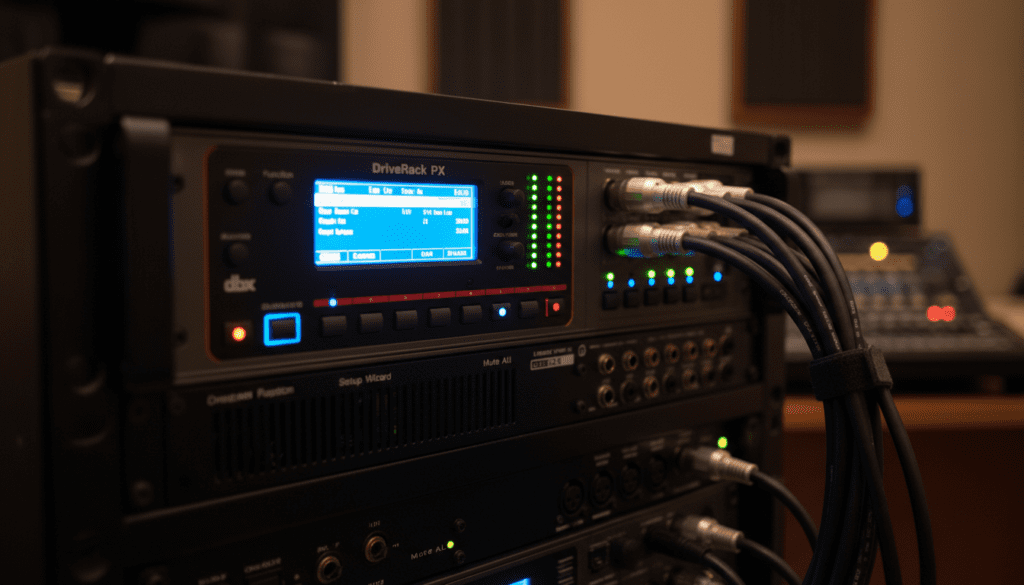
Setting up a passive system with a DriveRack PX requires a manual approach since the built-in “Wizard” presets are tailored for popular active models like the JBL EON or Mackie SRM series. In our field tests, we found that treating your power amplifier and passive speaker combo as a single “powered unit” allows the PX to deliver the same level of sonic clarity and protection as it would for an active rig.
Quick Summary: Key Takeaways
- Compatibility: Fully compatible with passive systems if used before the power amp.
- Main Benefit: Provides Advanced Feedback Suppression (AFS) and Auto-EQ which usually lack in basic passive setups.
- The Workflow: Mixer → DriveRack PX → Power Amplifier → Passive Speakers.
- Pro Tip: Use the “Custom” or “Generic” setting in the Setup Wizard to manually tune your passive cabinets.
- Limitation: It lacks specific tuning presets for passive speaker brands (unlike the DriveRack PA2).
Understanding the Signal Flow: Integrating the DriveRack PX
When we first integrated the DriveRack PX into a passive club installation, the biggest hurdle was the mindset of “active-only” marketing. To use it successfully, you must understand that the DriveRack PX is essentially a “brain” that processes line-level signals.
In a standard passive setup, your signal travels from the mixing console to the processor, then to the amplifier. The DriveRack PX handles the heavy lifting of signal processing before the amplifier boosts that signal to drive your speakers.
Passive vs. Active Configuration Table
| Feature | Using PX with Active Speakers | Using PX with Passive Speakers |
|---|---|---|
| Signal Order | Mixer > PX > Powered Speaker | Mixer > PX > Power Amp > Speaker |
| Setup Wizard | Select specific speaker model | Select “Custom/Generic” Amp & Speaker |
| Crossover | Controlled by PX and Speaker | Controlled entirely by PX |
| Protection | Redundant (Speaker has internal limiters) | Critical (PX provides the only Limiter) |
| Gain Staging | Adjust at the speaker back-plate | Adjust at the Power Amp attenuators |
Step-by-Step Guide: How to Set Up DriveRack PX for Passive Speakers
Hardware Connections
Connect the Left and Right outputs of your mixer to the DriveRack PX inputs using balanced XLR cables. Then, connect the Main Outputs of the PX to the inputs of your stereo power amplifier. If you are using a subwoofer, connect the Sub Output of the PX to your dedicated sub-amplifier.
Running the Setup Wizard
Since your passive speakers likely won’t be in the internal list, select the “Custom” option for both the speakers and the amplifiers.
- Mono vs. Stereo: Choose Stereo for the mains if you are running a standard two-channel setup.
- Subwoofer: If you have a passive sub powered by an amp, select “One Sub” or “Two Subs” based on your amp configuration.
Setting the Crossover (The Most Critical Step)
For passive speakers, the DriveRack PX acts as your electronic crossover. If you are using a sub, we recommend setting the crossover point (High Pass Filter) between 80Hz and 100Hz.
- Linkwitz-Riley 24dB (LR24) is the industry standard for a clean slope that prevents phase issues at the crossover point.
- Ensure your power amp for the tops is receiving the high-frequency signal and the sub amp is receiving the low-frequency signal.
Leveraging Auto-EQ and the RTA Microphone
One of the best reasons to use a DriveRack PX on passive speakers is the Auto-EQ function. Passive speakers often have “coloration” or frequency imbalances based on the room’s acoustics.
We suggest using a dbx RTA-M measurement microphone. Plug it into the front panel of the PX and run the Auto-EQ wizard. This process sends pink noise through your passive system and automatically adjusts a 28-band Graphic EQ to flatten the response.
Expert Insight: When RTA-ing a passive system, do not aim for a perfectly flat line. A perfectly flat system often sounds “harsh” to the human ear. Use the “Response” settings in the PX to select a “Soft” or “Precision” curve that rolls off some of the extreme highs.
Advanced Feedback Suppression (AFS) on Passive Rigs
Passive systems are often more prone to feedback if the crossover and EQ aren’t perfectly dialed in. The DriveRack PX features 12 feedback “notch” filters.
- Set to Fixed: Use 6 fixed filters to “ring out” the room before the show starts.
- Set to Live: Use the remaining 6 filters to catch unexpected feedback during the performance.
- Filter Width: Set these to 1/80th of an octave to ensure the feedback is killed without destroying the musicality of your vocalists.
Why Gain Structure Matters for Passive Systems
A common mistake we see is “double-gaining.” Because the DriveRack PX has its own internal volume and gain settings, it is easy to clip the input of your power amplifier.
- Step 1: Turn your power amplifier all the way down.
- Step 2: Send a “unity” signal from your mixer (vamping at 0dB).
- Step 3: Watch the meters on the DriveRack PX. Ensure they are hitting the yellow but never the red “Clip” lights.
- Step 4: Slowly turn up your power amplifier until you reach your desired maximum volume or until the amp’s “Limit” light flickers.
The Subharmonic Synth: Breathing Life into Passive Subs
Many older passive subwoofers struggle to produce the “chest-thump” found in modern active subs. The DriveRack PX includes a Subharmonic Synthesizer. This tool looks at the low-frequency content and synthesizes a new wave exactly one octave lower.
Warning from the Field: Use this sparingly on passive systems. If you overcook the Subharmonic Synth, you can easily over-excursion a passive woofer and blow the voice coil. We recommend starting at 15% to 20% and listening for any mechanical stress from the cabinet.
Frequently Asked Questions
Does the DriveRack PX provide power to passive speakers?
No. The DriveRack PX is a signal processor, not an amplifier. You still need external power amplifiers to drive your passive speakers.
Can I use the DriveRack PX for a 3-way passive system?
The DriveRack PX is primarily designed for a 2-way system (Mains + Subs). If you have a true 3-way passive cabinet (Woofer, Mid-range, Tweeter), it will treat the entire cabinet as one “Main” signal.
What is the difference between the PX and the DriveRack PA2?
The DriveRack PA2 includes more presets for passive speakers and power amplifiers, along with Ethernet control via a mobile app. The PX is a more compact, hardware-focused unit intended for simpler setups.
Will the DriveRack PX prevent my passive speakers from blowing?
If you set the PeakStopPlus™ Limiters correctly within the PX, it provides a significant layer of protection. However, it cannot prevent damage if your power amplifier is improperly matched to your speaker’s wattage.









