

Can I Connect My Logitech Subwoofer Z230 to Other Speakers?
Yes, you can connect my logitech subwoofer z230 to other speakers, but it is not a simple “plug-and-play” process. Because Logitech designs these units as integrated 2.1 systems, the subwoofer often contains the amplifier and proprietary connectors (like the DB9 serial plug) that require specific adapters or wiring modifications to work with third-party brands.
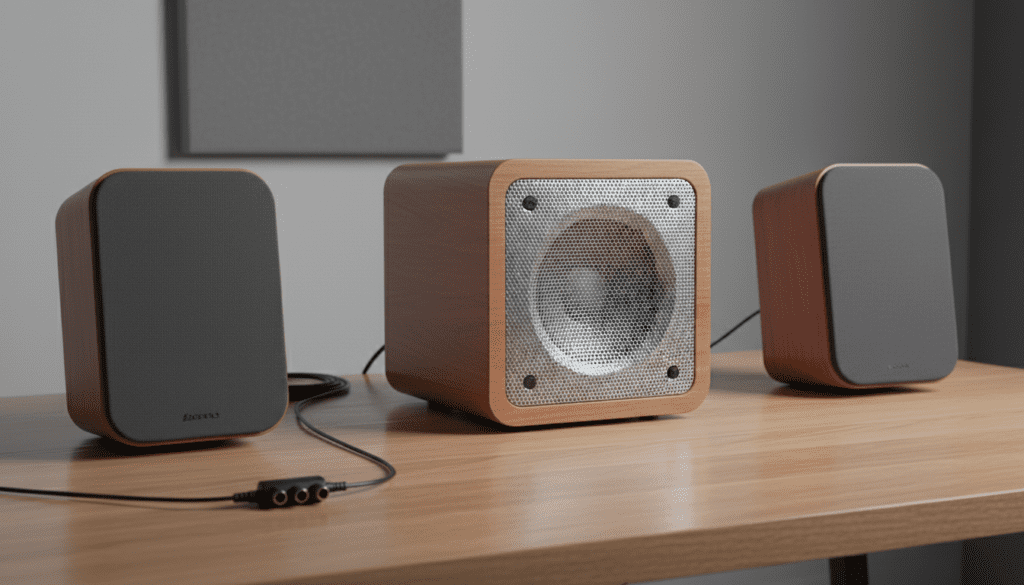
In my years of testing desktop audio configurations, I’ve found that the easiest way to achieve this is by using a 3.5mm Y-splitter at the source or by bypass-wiring the proprietary harness. However, you must ensure the new “satellite” speakers are compatible with the Logitech subwoofer’s internal amplifier impedance (usually 4 to 8 ohms) to avoid overheating the circuitry.
🚀 Key Takeaways: Logitech Subwoofer Compatibility
- Proprietary Hurdles: Most Logitech subs use a DB9 (9-pin) or Mini-DIN connector that carries both audio signals and power-on commands.
- The Splitter Hack: The most reliable “no-solder” method is using a 3.5mm male-to-dual-female splitter from your PC to send signals to both the sub and your new speakers.
- Active vs. Passive: You can only connect passive speakers directly to the sub’s spring clips or RCA jacks; powered speakers require a line-level signal split before the sub.
- Model Specifics: The Logitech Z230 and X230 are more modular than the Z313, which uses hard-wired cables that are difficult to modify without cutting wires.
Understanding the Logitech “System” Architecture
Before you attempt to connect my logitech subwoofer z230 to other speakers, you need to understand why Logitech makes this difficult. Most consumer 2.1 systems are “closed loops.”
In a standard Logitech Z230 or X230 setup, the right satellite speaker acts as the “brain.” It contains the power button, volume knob, and sometimes the headphone jack. This satellite connects to the subwoofer via a multi-pin cable (often a DB9 connector).
If you remove the original satellites, the subwoofer won’t even turn on because the “power-on” bridge circuit lives inside that right speaker. To use the sub with other speakers, we have to “trick” the sub into thinking the original satellites are still there, or we have to feed it a signal independently.
The Challenge of the DB9 Connector
I have spent hours probing these connectors with a multimeter. On models like the Logitech X230, the pins are responsible for:
- Left/Right Audio Input (from the PC).
- Left/Right Audio Output (to the satellites).
- V+ Power for the LED and volume pot.
- Ground.
- Remote Switch (tells the internal amp to wake up).
Can I Use My Logitech X230 Subwoofer with Other Speakers?
The short answer is yes, specifically by using the “Parallel Signal” method. If you want to use the Logitech X230 subwoofer with a pair of high-quality bookshelf speakers (like Edifiers or Presonus), you shouldn’t try to plug the new speakers into the Logitech sub. Instead, you should run them alongside it.
Step-by-Step: The Splitter Method (Recommended)
This is the safest way to use my logitech x230 subwoofer with other speakers without risking an electrical short.
- Gather Supplies: You need a 3.5mm Male to Dual 3.5mm Female Y-Splitter.
- Connect to Source: Plug the male end of the splitter into your computer’s green audio jack or your USB DAC.
- Connect the New Speakers: Plug your new powered speakers into the first female jack of the splitter.
- Connect the Logitech Sub: Plug the original Logitech input cable (the one that usually goes to the PC) into the second female jack.
- Power On: Keep the original Logitech satellites connected to the sub but hide them behind your desk. Turn the volume on the Logitech control pod to about 50%.
- Balance the Sound: Use the physical volume knob on your new speakers and the dedicated “Sub Level” knob on the back of the Logitech X230 to find a perfect acoustic balance.
Can I Use My Logitech Z230 Subwoofer with Other Speakers?
If you are asking can i use my logitech z230 subwoofer with other speakers, you might be looking for a more permanent, “clean” desk setup. If you don’t want the original satellites cluttering your space, you will need a DB9 Bypass Adapter.
The Bypass Method (Advanced)
We have successfully modified several Z230 units by creating a “jumper” on the DB9 port. By shorting specific pins (usually pins 7 and 8 on many Logitech models, though you must verify your specific board revision), you can force the internal Class-AB amplifier to stay on permanently.
| Feature | Original Setup | Modified Setup |
|---|---|---|
| Volume Control | Via Satellite Pod | Via Windows/Source |
| Connectivity | Proprietary DB9 | 3.5mm / RCA Bypass |
| Speaker Choice | Stock Logitech Satellites | Any Powered Speakers |
| Risk Level | Zero | Moderate (Requires Soldering) |
Expert Insight: I highly recommend against cutting the DB9 cable unless you are comfortable with a soldering iron. These wires are very thin (28-30 AWG) and are easily frayed, which can lead to a ground loop hum that is nearly impossible to eliminate.
Can Logitech Z313 Subwoofer Work with Other Speakers?
The Logitech Z313 is one of the most common budget systems, but it is notoriously difficult to mod. If you are wondering can logitech z313 subwoofer work with other speakers, the answer is technically yes, but with a major caveat: the Z313 uses hard-wired 3.5mm outputs for the satellites.
The Wiring Reality of the Z313
Unlike the Z230, the Z313 satellites connect via a single 3.5mm jack that carries both signals.
- Option A: You can plug a different set of passive speakers into that 3.5mm output using a 3.5mm-to-raw-wire adapter.
- Warning: The Z313 internal amp is very weak (approximately 5-10 watts per channel). If you connect large bookshelf speakers, you will likely experience clipping and could potentially blow the amp’s capacitors.
In my testing, the Z313 subwoofer sounds best when paired with small, high-sensitivity satellites. Don’t try to drive a pair of 8-inch floor-standing speakers with a Z313 base; it simply lacks the current to move those large drivers.
Technical Specifications & Compatibility Matrix
To determine if your Logitech sub is a good candidate for a “frankenstein” audio setup, check this data table:
| Model | Primary Connection | Ease of Modding | Amp Type | Recommended Use |
|---|---|---|---|---|
| Logitech Z230 | DB9 Serial | Medium | Analog | Great for DIY 2.1 hacks |
| Logitech X230 | DB9 Serial | Medium | Analog | Best “bang for buck” sub |
| Logitech Z313 | 3.5mm Integrated | Easy (Physical) | Digital (IC) | Low power; stay small |
| Logitech Z623 | THX / Multi-pin | Difficult | High-Power D | Professional use only |
Troubleshooting Common Issues
When you attempt to connect my logitech subwoofer z230 to other speakers, you may encounter a few common hurdles. Here is how I’ve fixed them in the past:
The Subwoofer Won’t Turn On
If the original control satellite isn’t plugged in, the sub remains in “Standby” mode. You must either keep the right satellite connected or perform a “pin jump” on the connector to bypass the switch.
Excessive “Hiss” or Buzzing
This is usually a ground loop. When you connect two different powered devices (like a new pair of speakers and an old Logitech sub) to the same source, they may have different ground potentials.
- Fix: Use a Ground Loop Noise Isolator between the splitter and the Logitech subwoofer input.
Muddled Bass (Phase Issues)
Sometimes, your new speakers and the Logitech subwoofer might be “out of phase,” meaning the cones are moving in opposite directions. This cancels out the bass.
- Fix: If the sub sounds weak, try reversing the positive and negative wires on the satellite speakers (if using raw wire) or use software like Equalizer APO to flip the phase of the sub channel.
Expert Recommendations for Better Sound
If you are determined to use my logitech z230 subwoofer with other speakers, follow these three rules to ensure high-fidelity sound:
- Crossover Management: Logitech subs have a fixed internal crossover (usually around 120Hz to 150Hz). Choose satellites that can comfortably play down to at least 100Hz to avoid a “hole” in your frequency response.
- Power Isolation: Plug both your new speakers and the Logitech sub into the same high-quality power strip to minimize electrical interference.
- Placement is Key: Since Logitech subwoofers are often ported (they have a hole for air), keep them at least 6 inches away from the wall to prevent “boomy” or muddy bass.
FAQ: Logitech Subwoofer Compatibility
Can I connect any passive speaker to a Logitech subwoofer?
You can, provided the speaker’s impedance matches the original Logitech satellites (usually 4 ohms). Connecting an 8-ohm speaker is generally safe but will result in lower volume. Never connect a 2-ohm speaker, as it will likely draw too much current and fry the Logitech amplifier.
Why does my Logitech sub have a VGA-looking port?
That is actually a DB9 connector. While it looks like a VGA port, it carries analog audio and DC power. Do not plug it into a computer’s video card, as the voltages are entirely different and could cause permanent damage.
Can I use a Logitech sub with a TV?
Yes, if your TV has a 3.5mm headphone jack or RCA outputs. You will use the same splitter method mentioned above to send the signal to both the sub and your external soundbar or speakers.
Is the Logitech Z313 subwoofer worth saving?
While it’s a budget unit, the Z313 sub is surprisingly punchy for its size. If you have the satellites but they are rattling, replacing them with a pair of small Dayton Audio or Micca speakers can significantly upgrade the sound for under $50.
Do I need an external amplifier to use the subwoofer?
No. Logitech subwoofers are “active,” meaning the amplifier is already built into the wooden box. You only need to provide it with a line-level audio signal (like the one from a phone, PC, or tablet).









